
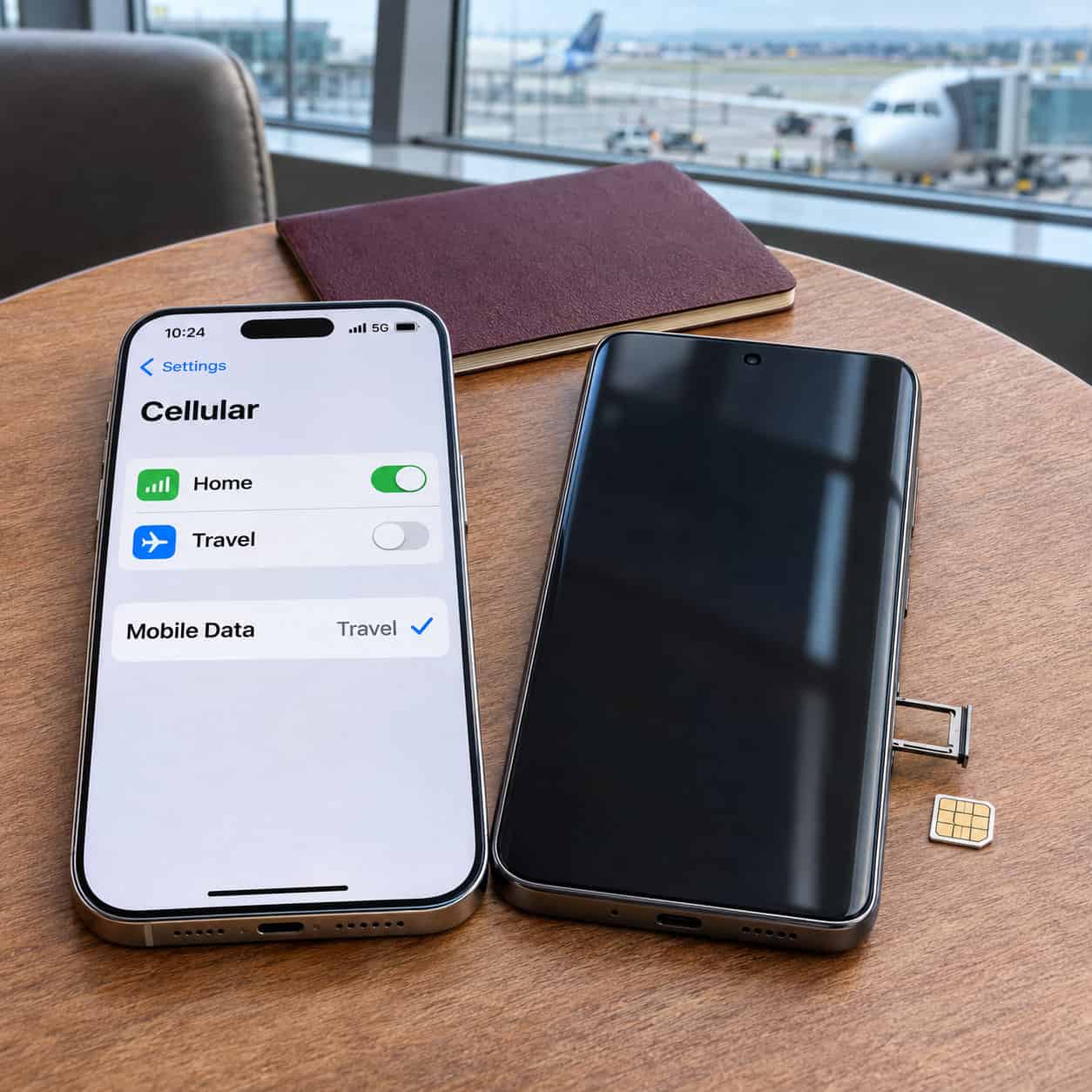
A smartphone can work perfectly at home and still be a poor fit for your trip. The version sold in another country might have a different SIM tray, your carrier might lock the phone to its network, or a travel plan might give you data without a phone number. Choose your smartphone with CompareCelular (CompareCelular escolha seu) by comparing models that support the SIM setup you need. Before buying or packing a phone, check whether it will connect at your destination and let you keep your home line available for calls and verification texts.
Compare eSIM and Physical SIM Support.
An eSIM lets you add a mobile plan digitally. That can save time if you want to set up data before landing or avoid finding a SIM shop at the airport. A physical nano-SIM gives you another option when the plan you want comes on a card. If you already use a physical SIM at home, a phone that supports an active physical SIM and an active eSIM together lets you leave the card in place while adding a travel plan.
Check the specifications for the country where the phone was sold. The U.S. iPhone 16 uses eSIM only. The U.K. iPhone 16 supports a nano-SIM and an eSIM, as well as dual eSIM. Google’s Pixel 9a can use a physical SIM and an eSIM, or two eSIMs at once if the carrier allows it. Samsung lists two nano-SIMs, a nano-SIM plus eSIM, and dual eSIM for the Philippine Galaxy S25 model. Compare the exact variant if you are buying an imported or secondhand phone.
Check how many lines can be active together. A phone may store several eSIM profiles for different countries, but storing a profile and having it enabled are separate things. If you want to keep a home eSIM active while adding a travel eSIM, look for support for two active eSIMs.
Confirm the Phone Is Carrier-Unlocked
A carrier lock can prevent a phone from accepting another provider’s SIM or eSIM. On an iPhone, open Settings > General > About and look for No SIM Restrictions beside Carrier Lock. For Android, ask the selling carrier to confirm the unlock status for the exact device. If you have another carrier’s active SIM and the phone has a tray, try it before the trip. A used phone advertised as unlocked is easier to evaluate when the seller can show it working on a second network.
If the device is locked, ask the original carrier what it requires for unlocking and how long the process takes. If you are leaving soon, compare the cost of your home carrier’s roaming plan with the cost of using a separate unlocked phone. Check the restrictions before paying for a travel plan.
Verify Network Compatibility at Your Destination
Find the exact model number and compare its LTE and 5G bands with the destination carrier’s published requirements. A phone marketed as 5G may support different bands depending on the regional variant. Also check the carrier’s coverage map for the places you plan to visit. A network that works well near your hotel may have limited coverage along a rural route.
If you need ordinary phone calls, confirm support for Voice over LTE, or VoLTE, with the carrier you plan to use. Ask whether it offers a compatibility check for your exact model or IMEI, the handset’s unique identifier. This matters for imported phones. Australia’s Telstra, for example, explains that overseas devices may require extra checks for calling compatibility, including emergency calling. For a regional eSIM, check the provider’s country list and the partner network it uses in each destination. Confirm coverage for any stop where you’ll need mobile data.
Keep Your Home Number Active Abroad
Choose a phone that can keep both lines active, then assign your travel line to mobile data and leave your home line enabled for calls and texts. Label the lines Home and Travel so you can see which number you’re using. Turn off data roaming on the home line if you want to avoid using it for mobile data, and turn off automatic data switching if you want data to stay on the travel line. Follow the travel provider’s instructions for whether roaming needs to be enabled on its line.
A data-only eSIM provides internet access without regular calls, SMS, or its own phone number. Your home carrier still determines whether your home line can receive calls and texts abroad and what those services cost. Ask specifically about incoming verification texts, calls, and Wi-Fi calling at your destination. Turning off data roaming on your home line still leaves voice and text charges subject to your plan. If your accounts depend on SMS codes, set up another verification method where available.
Before leaving, save the provider’s setup instructions where you can reach them over Wi-Fi. Check when the plan starts. On arrival, confirm that maps work on the travel line, then ask someone at home to send a test SMS message.
The best phone for your trip is an unlocked model that works with a carrier where you are going and can keep your home line reachable if you need it. If you regularly buy local SIM cards, prioritize a physical tray. If you usually buy travel data online, prioritize dual eSIM support and confirm that both lines can stay active.