
Tag Archives: technology

Tag Archives: technology

How to Compare Smartphones for International Travel

A smartphone can work perfectly at home and still be a poor fit for your trip. The version sold in another country might have a different SIM tray, your carrier might lock the phone to its network, or a travel plan might give you data without a phone number. Choose your smartphone with CompareCelular (CompareCelular escolha seu) by comparing models that support the SIM setup you need. Before buying or packing a phone, check whether it will connect at your destination and let you keep your home line available for calls and verification texts.

Compare eSIM and Physical SIM Support.

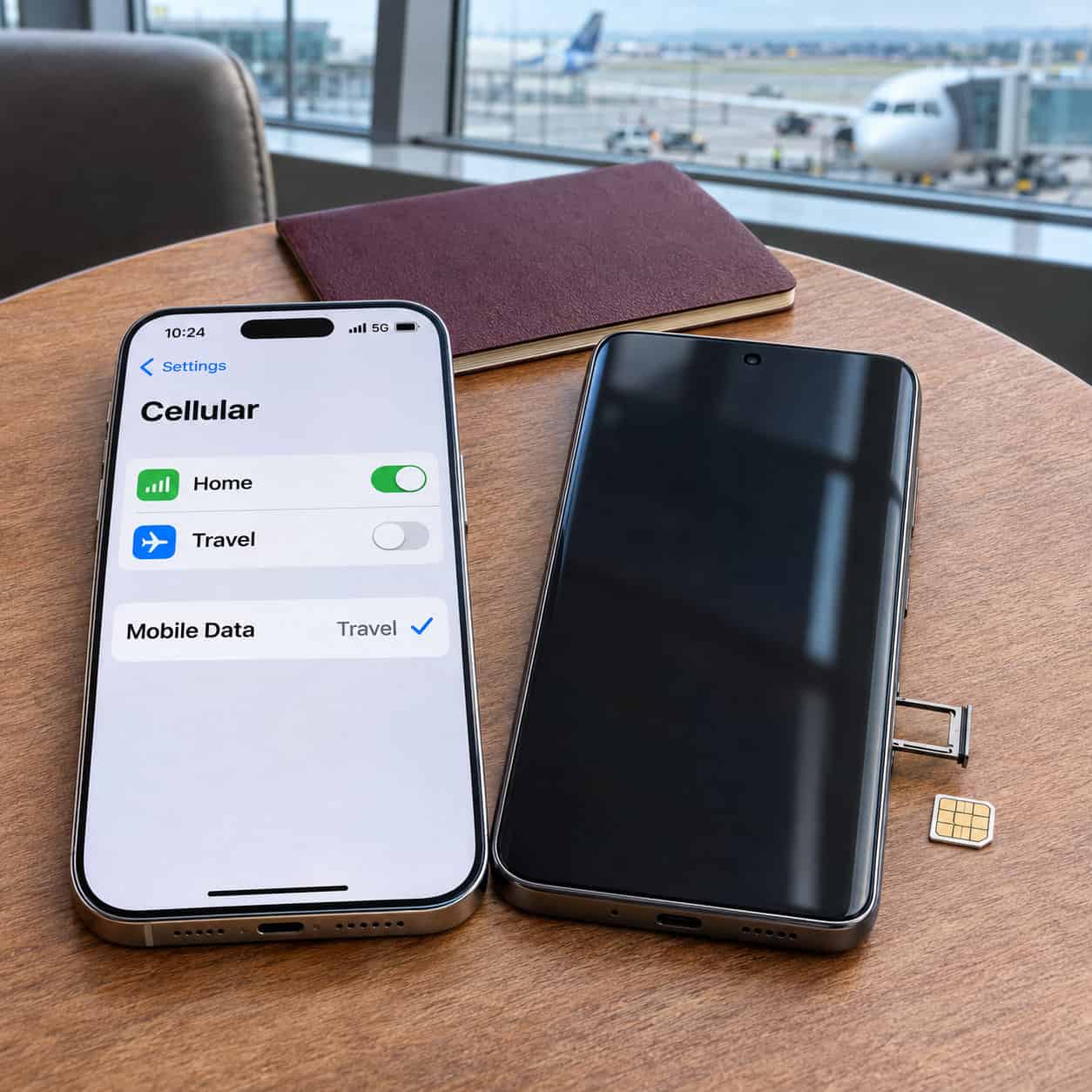
An eSIM lets you add a mobile plan digitally. That can save time if you want to set up data before landing or avoid finding a SIM shop at the airport. A physical nano-SIM gives you another option when the plan you want comes on a card. If you already use a physical SIM at home, a phone that supports an active physical SIM and an active eSIM together lets you leave the card in place while adding a travel plan.
Check the specifications for the country where the phone was sold. The U.S. iPhone 16 uses eSIM only. The U.K. iPhone 16 supports a nano-SIM and an eSIM, as well as dual eSIM. Google’s Pixel 9a can use a physical SIM and an eSIM, or two eSIMs at once if the carrier allows it. Samsung lists two nano-SIMs, a nano-SIM plus eSIM, and dual eSIM for the Philippine Galaxy S25 model. Compare the exact variant if you are buying an imported or secondhand phone.
Check how many lines can be active together. A phone may store several eSIM profiles for different countries, but storing a profile and having it enabled are separate things. If you want to keep a home eSIM active while adding a travel eSIM, look for support for two active eSIMs.

Confirm the Phone Is Carrier-Unlocked

A carrier lock can prevent a phone from accepting another provider’s SIM or eSIM. On an iPhone, open Settings > General > About and look for No SIM Restrictions beside Carrier Lock. For Android, ask the selling carrier to confirm the unlock status for the exact device. If you have another carrier’s active SIM and the phone has a tray, try it before the trip. A used phone advertised as unlocked is easier to evaluate when the seller can show it working on a second network.
If the device is locked, ask the original carrier what it requires for unlocking and how long the process takes. If you are leaving soon, compare the cost of your home carrier’s roaming plan with the cost of using a separate unlocked phone. Check the restrictions before paying for a travel plan.

Verify Network Compatibility at Your Destination

Find the exact model number and compare its LTE and 5G bands with the destination carrier’s published requirements. A phone marketed as 5G may support different bands depending on the regional variant. Also check the carrier’s coverage map for the places you plan to visit. A network that works well near your hotel may have limited coverage along a rural route.
If you need ordinary phone calls, confirm support for Voice over LTE, or VoLTE, with the carrier you plan to use. Ask whether it offers a compatibility check for your exact model or IMEI, the handset’s unique identifier. This matters for imported phones. Australia’s Telstra, for example, explains that overseas devices may require extra checks for calling compatibility, including emergency calling. For a regional eSIM, check the provider’s country list and the partner network it uses in each destination. Confirm coverage for any stop where you’ll need mobile data.

Keep Your Home Number Active Abroad

Choose a phone that can keep both lines active, then assign your travel line to mobile data and leave your home line enabled for calls and texts. Label the lines Home and Travel so you can see which number you’re using. Turn off data roaming on the home line if you want to avoid using it for mobile data, and turn off automatic data switching if you want data to stay on the travel line. Follow the travel provider’s instructions for whether roaming needs to be enabled on its line.
A data-only eSIM provides internet access without regular calls, SMS, or its own phone number. Your home carrier still determines whether your home line can receive calls and texts abroad and what those services cost. Ask specifically about incoming verification texts, calls, and Wi-Fi calling at your destination. Turning off data roaming on your home line still leaves voice and text charges subject to your plan. If your accounts depend on SMS codes, set up another verification method where available.
Before leaving, save the provider’s setup instructions where you can reach them over Wi-Fi. Check when the plan starts. On arrival, confirm that maps work on the travel line, then ask someone at home to send a test SMS message.
The best phone for your trip is an unlocked model that works with a carrier where you are going and can keep your home line reachable if you need it. If you regularly buy local SIM cards, prioritize a physical tray. If you usually buy travel data online, prioritize dual eSIM support and confirm that both lines can stay active.
Read More

Technology, Travel, and the Rise of Shadowban Checks

Technology has changed the way people travel. It has made planning easier, navigation faster, and communication smoother. It has also shaped how travelers share their stories online. Today, travel and social media go hand in hand. Many travelers document their experiences through posts, videos, and real-time updates. Because of this, online visibility becomes important. One issue that travelers often face is the possibility of being shadowbanned. This can affect how many people see their content. Understanding how and checking for shadowban

and how to detect them can help travelers stay visible and connected.

How Technology Shapes Modern Travel

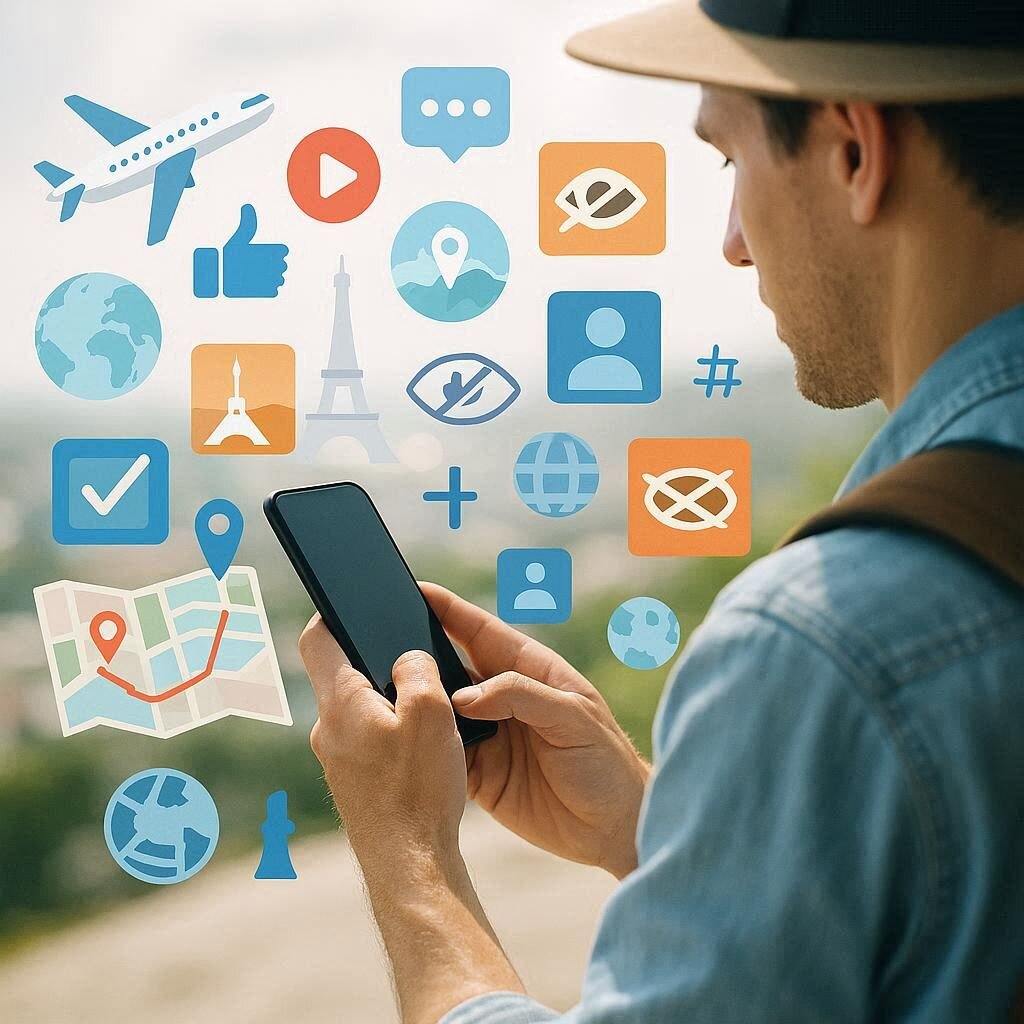
Modern travel relies heavily on technology. Smartphones now serve as travel guides, translators, cameras, and booking platforms. With a few taps, you can check flights, reserve hotels, or find hidden spots in a city. Apps help travelers discover local food, track expenses, or plan itineraries. Digital maps have replaced paper maps. Online reviews guide people toward trusted services and safer choices.

Social media plays a large role too. Travelers use platforms like Instagram, TikTok, and Facebook to look for ideas. They follow travel creators to find destinations and travel hacks. Technology makes travel more informed. People feel more confident when they have tools that guide them in real time. It also reduces stress because they can solve problems faster while they are on the move.

Technology has also improved safety. GPS features allow family and friends to track locations. Emergency apps can send alerts when something feels off. Payment apps reduce the need to carry cash. These tools create a more secure travel experience. The blend of digital tools and travel habits has made exploring the world more accessible to everyone.

Travel Content and Social Media Visibility

Many travelers enjoy sharing their journeys online. They want their photos, videos, and tips to reach as many people as possible. Some do this for fun. Others do it for work, especially if they are travel content creators. Social media gives them an audience and even opportunities for partnerships.

Because of this, visibility matters. When a post reaches fewer people than expected, many start to wonder if something is wrong. Sometimes it is due to timing. Sometimes it is due to algorithm changes. But one concern is the shadowban. A shadowban limits the reach of posts without informing the user. This means your content becomes hard to find. It may not appear in hashtags or search results. Followers may not see updates even if they are active.

For people who rely on social media to share travel content, this can be a problem. It affects how they grow their audience. It also affects how they collaborate with brands. Understanding how shadowbans work helps them stay ahead and protect their online engagement.

What Is a Shadowban and Why It Happens

A shadowban is a form of limited visibility placed on an account. This happens silently. The platform does not notify users. Instead, the reach of their posts drops. Their content may not appear in explore pages, hashtag searches, or feeds. It can feel confusing because everything looks normal on the user’s end.

There are several reasons why shadowbans happen. Using banned or broken hashtags is one of the most common triggers. Posting too fast may also look automated. Using bots or buying followers can lead to restrictions. Repeatedly violating content guidelines can also cause limited reach. Even normal accounts can get flagged by mistake.

Travel creators sometimes trigger these without knowing. For example, they may use hashtags that are currently under review. They may post too frequently during a trip. They may use editing tools that compress metadata in a way that appears suspicious. Understanding these triggers helps reduce risks.

Tools and Methods to Check for a Shadowban

Shadowban checks are now part of many creators’ routines. People want to know if their accounts are impacted, especially when they are traveling and posting often. There are simple ways to check if you are shadowbanned.

One method is to use a test post. Creators choose a unique hashtag and ask someone who does not follow them to search for it. If the post does not appear, this may signal a problem. Another method is to monitor engagement levels. A sudden drop across all posts can be a sign of limited reach. Third-party tools also exist, and they review your account for possible issues. They can detect banned hashtags or unusual activity patterns.

It is also helpful to check your analytics. Many platforms offer insights that show how people find your posts. If discovery from hashtags suddenly drops to zero, that can be a clue. These checks give you a clearer view of your visibility status. They also help you take action early.

How Travelers Can Avoid Shadowbans

Avoiding a shadowban requires smart posting habits. Travelers should avoid overusing hashtags and make sure they are relevant. They should skip hashtags that look suspicious or have very low activity. It is also important not to use bots or automation tools. These can trigger spam detection.

Travelers should also keep their content within platform rules. This includes avoiding violent, misleading, or restricted topics. Even accidental violations can affect visibility. Keeping posts natural and varied helps the algorithm recognize real activity. It also helps to space out posts and avoid sudden bursts of uploads.

When traveling, Wi-Fi networks can behave differently. Some may trigger security checks. Using a VPN can help maintain stable access. But it should also be used properly to avoid unusual login patterns. Regularly checking account insights can also help detect early signs of limited reach. By following these habits, travelers can stay visible while sharing their journeys.

The Impact of Shadowban on Travel Creators

Shadowbans can affect travel creators in many ways. Less visibility means fewer people see their stories. It affects engagement and affects potential collaborations. Travel partners often look at numbers before working with creators. This makes consistent reach important.

A shadowban can also affect confidence. Some creators worry when they see sudden drops. It can disrupt posting schedules and travel plans. But with proper monitoring and healthy posting habits, most shadowbans can be avoided. Some are temporary and resolve within a few days. Understanding how the system works brings peace of mind.

Read More

𐌢